For operators
Start simple, then harden.
Run Sprag as a plain HTTPS intake box, require server-blind E2E, or publish onion-only with anonymous ingress when the channel needs network privacy.
Self-hoster pathOpen-source secure intake
Sprag is a tiny self-hosted intake box. An admin creates an unguessable upload page, someone else sends files in, and the sender never gets a listing, folder, account, or download path.
Two audiences
Self-hosters need exact deployment modes and trust boundaries. Professionals need controlled intake, proof of arrival, and handling records without turning submitters into users.
For operators
Run Sprag as a plain HTTPS intake box, require server-blind E2E, or publish onion-only with anonymous ingress when the channel needs network privacy.
Self-hoster pathFor professionals
Use accountless upload pages for clients, sources, employees, researchers, or patients while keeping receipts, submission groups, manifests, and sealed-mode records.
Professional pathSee it in action
The sender only ever sees an upload box. The admin sees everything that arrived, in order, with receipts attached.
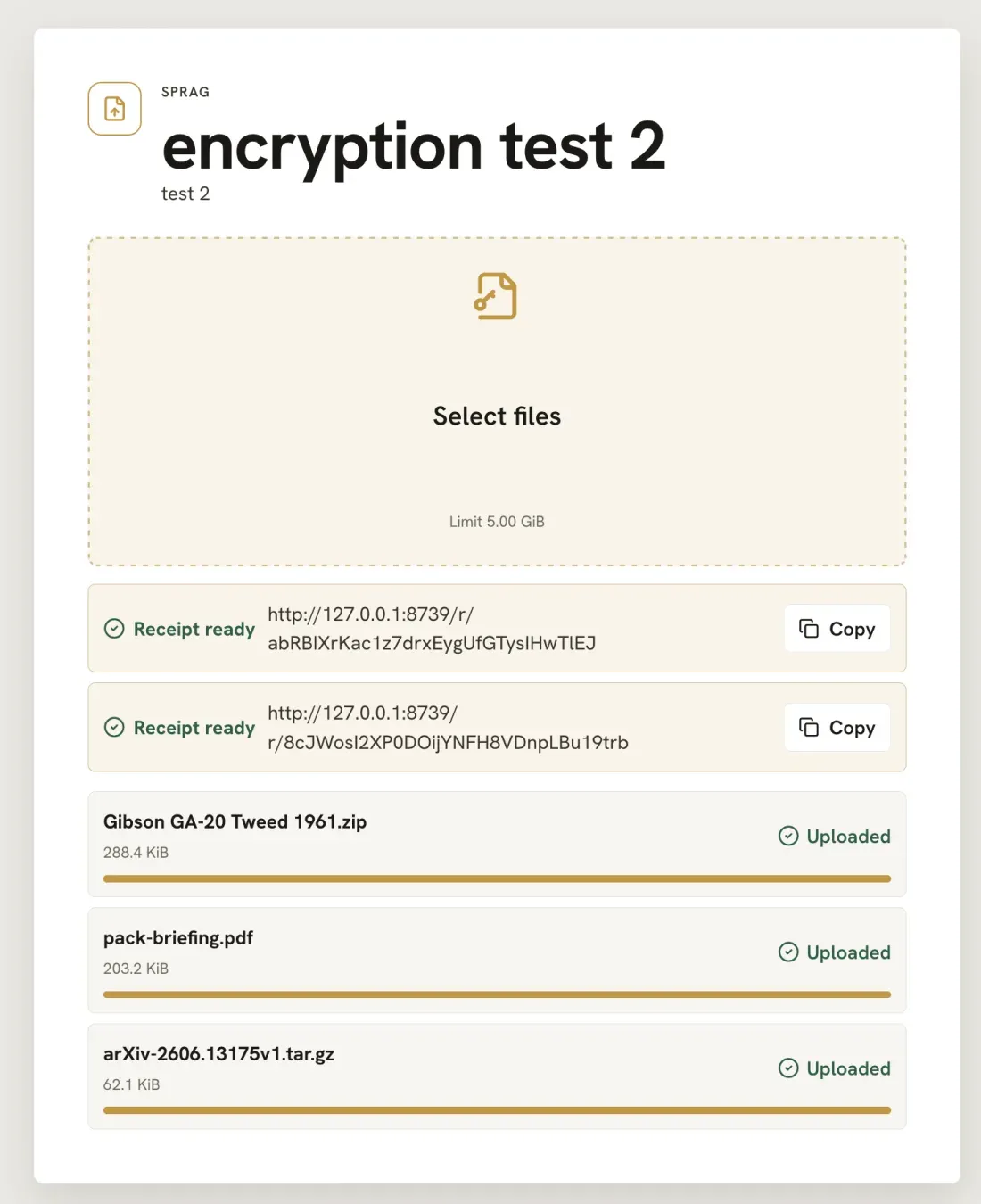
Whoever sends files gets a single upload box, an optional PIN, and a receipt after each file lands. Nothing to browse, nothing to sign up for.
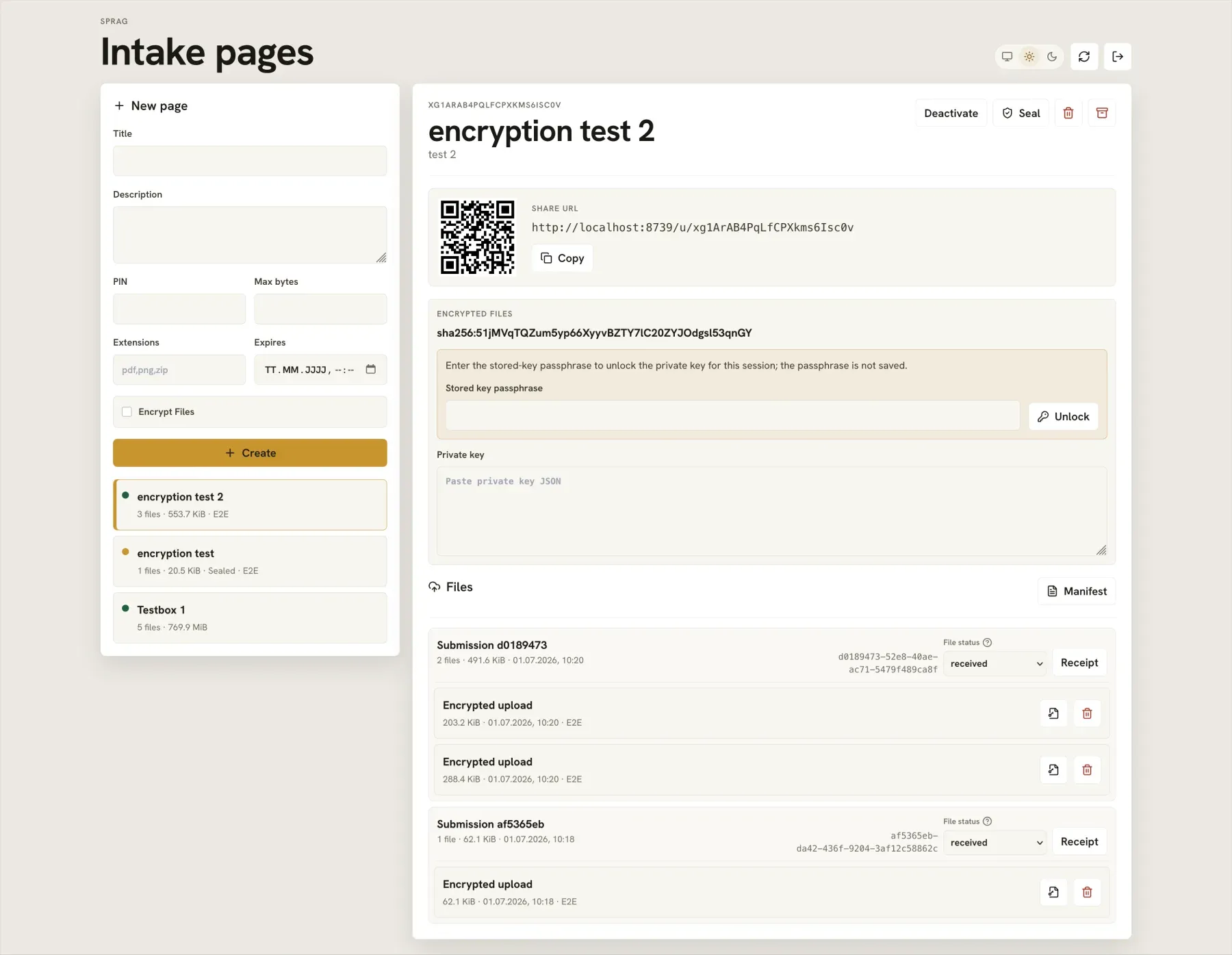
Admins create intake pages, watch submissions arrive grouped by upload, and pull receipts or manifests without touching a database.
Common intake paths
Sprag fits when the job is secure file intake, not collaboration. These paths map the product to the terms operators and professional teams actually search for.
Secure intake
Receive sensitive files through a one-way upload page while keeping sender accounts, shared folders, and return browsing out of the flow.
Secure document intakeSelf-hosted
Run a narrow upload box with S3-compatible storage, SQLite metadata, optional E2E, and onion-only deployment when needed.
Self-hosted file dropProfessional
Let clients and outside parties send documents without becoming users of a portal, drive, ticket, or case-management system.
Client document uploadLegal
Use intake pages for privileged client documents, evidence packages, and outside submissions while preserving arrival and handling context.
Lawyer file uploadAlternative
Collect files without inheriting a Dropbox folder model, workspace assumptions, or required US cloud path.
Dropbox alternativeAlternative
Use Sprag when the file arrival boundary matters more than survey analytics or Google Drive storage.
Google Forms alternativeWhy Sprag exists
Uploaders can open a page, pass a PIN if required, send files, receive a receipt, and leave. They cannot browse or retrieve submitted material.
When E2E is required, the browser encrypts file content and metadata before upload. The server and bucket store ciphertext and opaque envelopes.
Submissions are grouped, receipt status is limited, and admins can export stored-object hashes and handling events for later explanation.